Your H5P Content Just Got a Serious Upgrade
H5P has always been about making learning more engaging. With our latest release, we've taken that further by rethinking how content looks and feels for the people using it.
The new look and feel gives H5P's interactive content a much cleaner design, smarter customisation controls, and a more polished experience for learners whether they're working inside Brightspace, Canvas, Moodle, Blackboard, or anywhere else H5P runs.
“It's a genuine improvement – cleaner look, feels more polished, and learners seem to notice the difference without needing to be told anything changed.” Alfredo Gonzalez Estrada, Content Creator and Trainer, Emprove
A fresh design, built for modern learning
Across the supported content types, you'll see cleaner layouts, updated Submit and Check buttons, smoother drag-and-drop animations, and larger tap zones that make a real difference on mobile.
Themes you can make your own
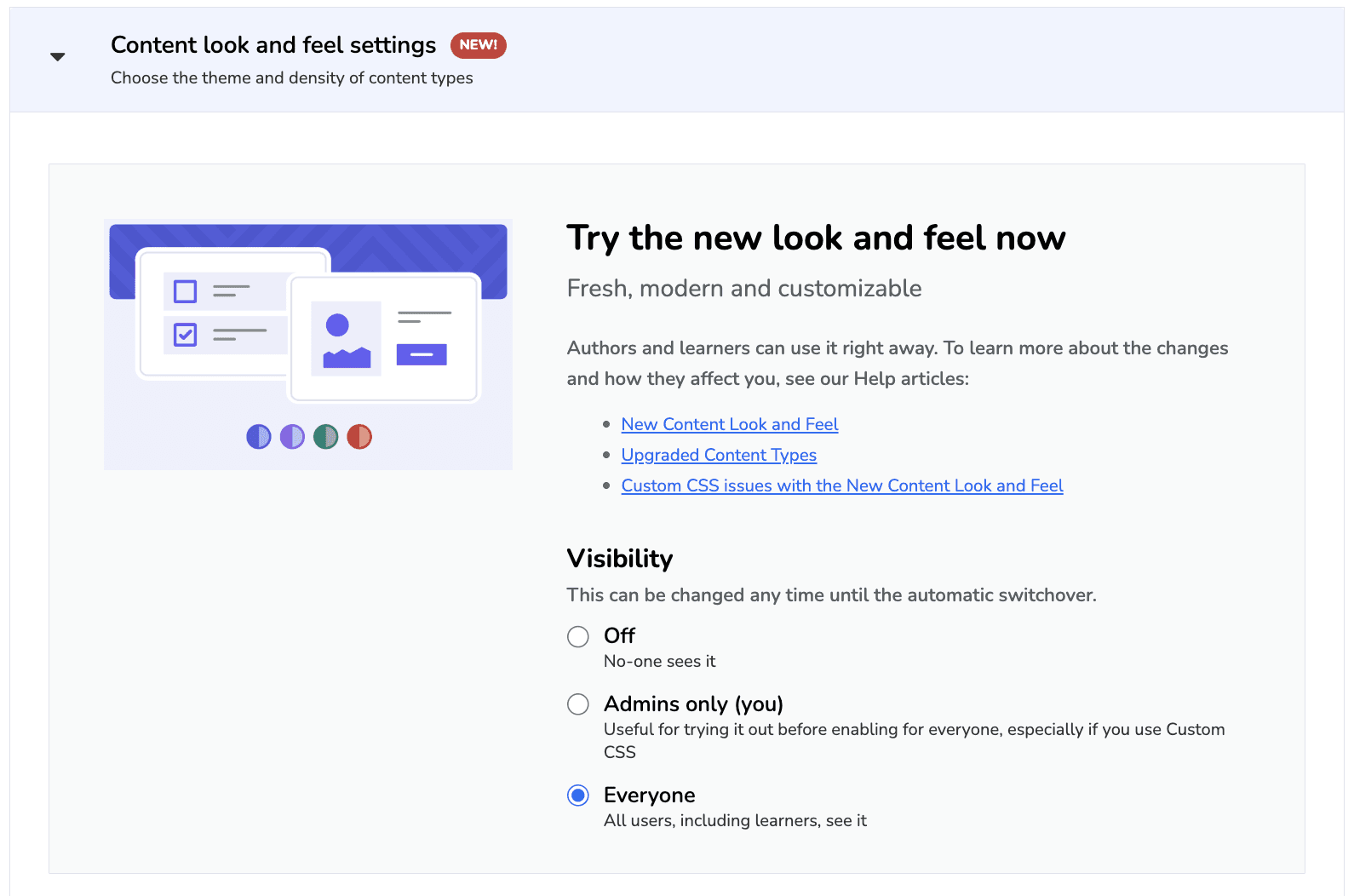
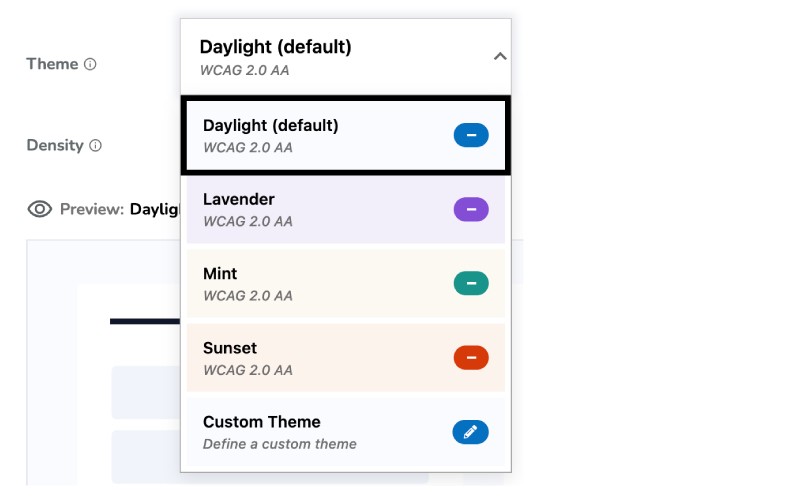
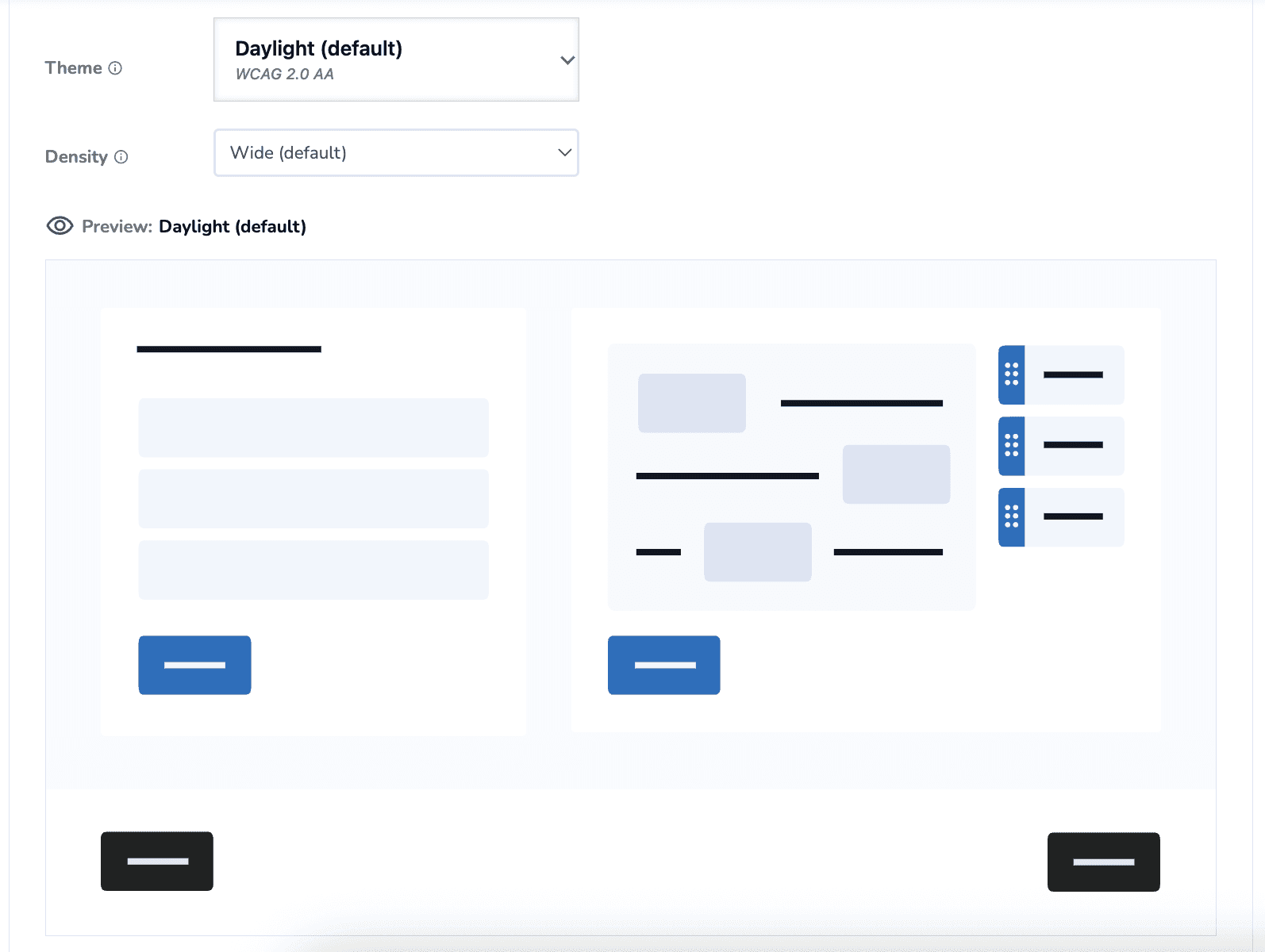
Admins now have full control over how H5P content looks within their organisation. From Organisation Settings, you'll find a new Content Look and Feel section with three options straight out of the box: Daylight (the default), Mint, and Sunset — all designed to meet WCAG 2.0 AA colour contrast standards from day one.
If none of those fit your brand, you can build your own custom theme by choosing the colours for buttons, navigation, backgrounds, and answer spaces.
Density controls for how content feels, not just how it looks
Beyond colour, you can now control the density of your content — how tightly elements are spaced within an H5P. For most use cases, Wide view gives the best readability. Worth noting: content types with fixed height, like Course Presentation and Drag and Drop, won't reflect density changes in the same way.
Roll it out at your own pace
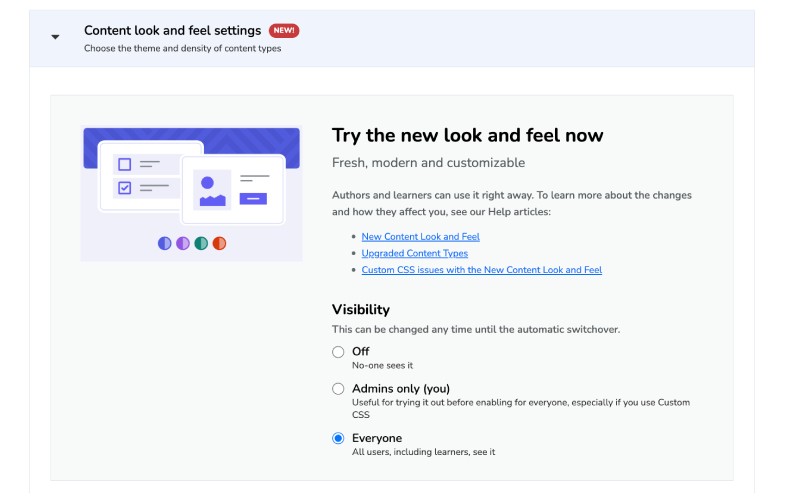
One of the more practical features of this release is the staged visibility control. Rather than switching the new look on for your entire organisation at once, you can enable it for admins only first — letting you preview themes and test custom CSS before anyone else sees a thing. When you're ready, one setting makes the change for everyone.
Once it's live, existing content updates automatically. There's nothing to republish.
What your learners will see
The new theme carries through wherever your H5P content lives — inside your LMS, in Smart Import content, and in Layout Builder. The experience your learners get is consistent regardless of where they access it.